See your first savings
Once the CLI is installed and connected:
- Work normally for a bit — run tests, check git status, read files through your AI assistant.
- Open your dashboard: the overview shows tokens purged this month, the LLM cost you avoided, and active developers.
- Open Analytics for the detail: savings per command, per developer, per project, per AI tool and per session.
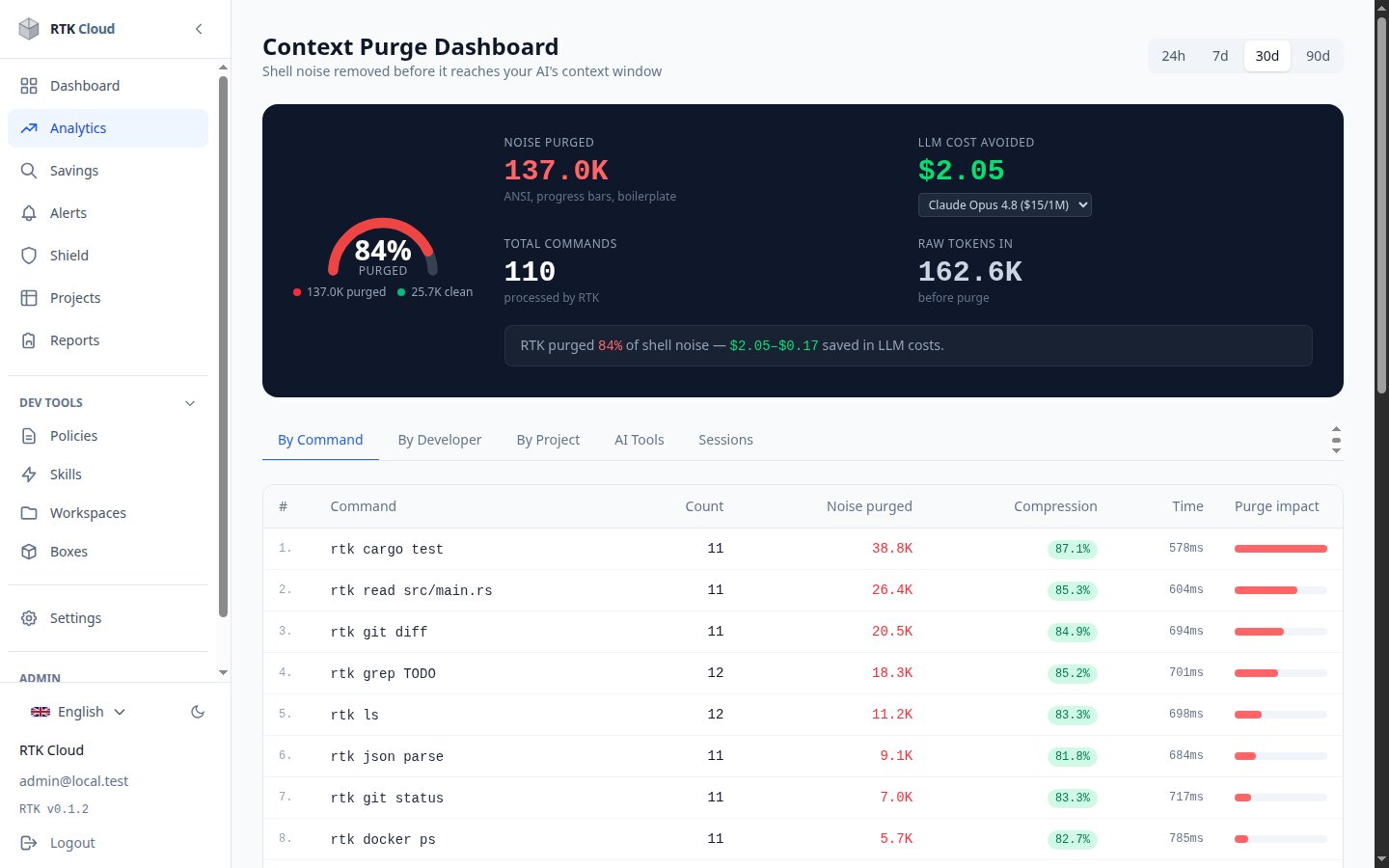
Reading the numbers
- Noise purged — tokens that would have been sent to the AI but were filtered out (ANSI codes, progress bars, verbose output).
- LLM cost avoided — the purged tokens priced at your model's real input rate (pick the model in the selector).
- Compression — the percentage of each command's output that was safely removed.
Not seeing data?
rtk cloud-statusshould show a green connection.- Check with your admin that your agent token (if you use one) has the
ingestscope and isn't revoked. - Data is retained 7 days on trial, up to 90 days on enterprise plans — old events age out automatically.