Shield — secret protection
Shield catches secrets (API keys, tokens, private keys, database passwords) before they reach an AI assistant. Detection and redaction happen on the developer's machine — the secret value never leaves it. The dashboard receives only non-reversible details (a one-way fingerprint, a masked type/prefix preview, and where it occurred) — never the secret.
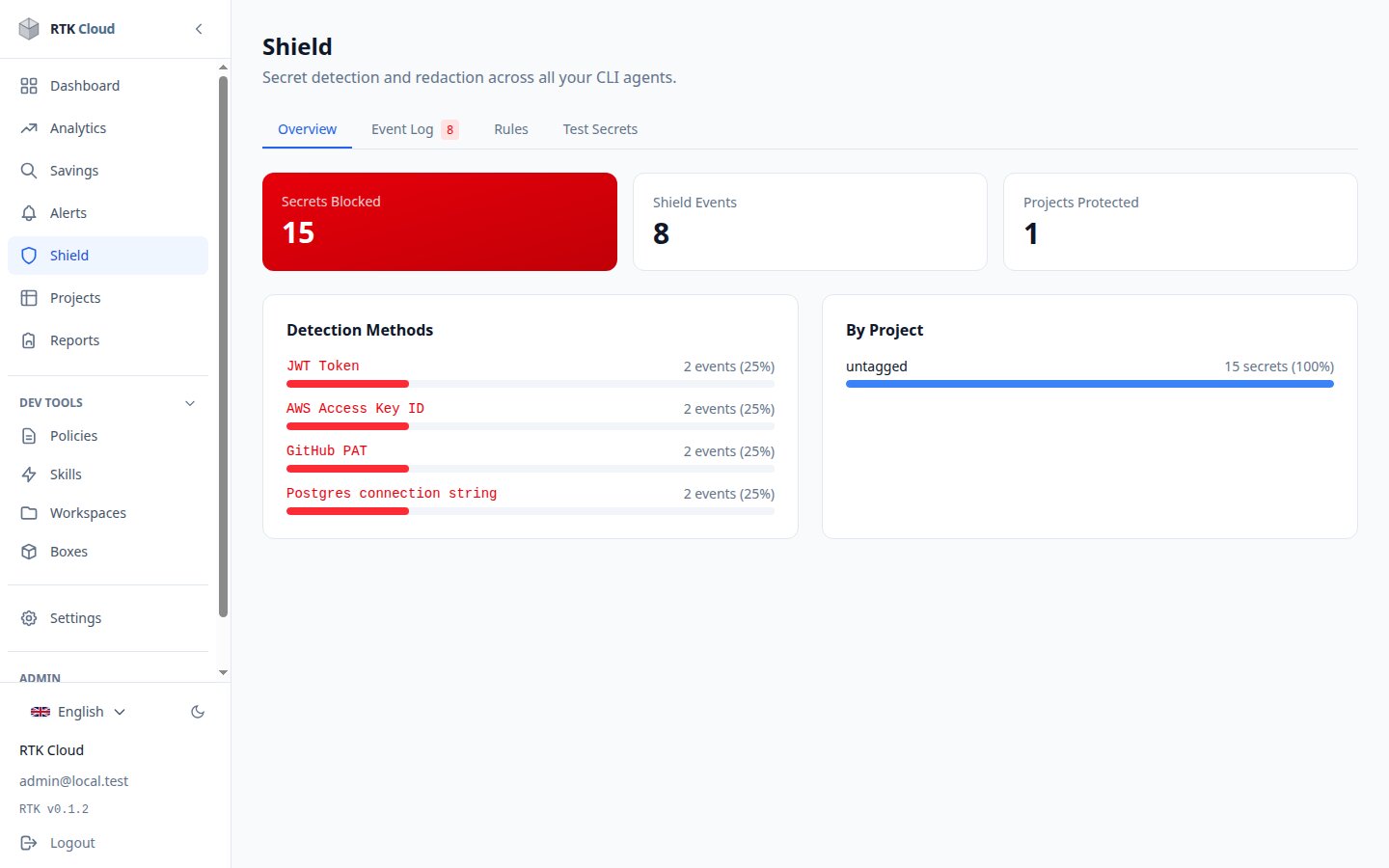
The tabs
- Overview — a summary of what Shield caught and where.
- Leaks — distinct secrets grouped and ranked by risk, so you know what to rotate first.
- Event Log — the audit trail: when, what type, from which tool, and where. Only a masked preview, the type and a one-way fingerprint are stored — never the secret.
- Rules — the built-in detection rules (AWS keys, GitHub tokens, Stripe keys, JWTs, connection strings, private keys...). Admins can add custom rules (regular expressions with a severity); the CLI picks them up automatically.
- Test Secrets — paste any text to see what Shield would catch and how it redacts it (replaced by
<RTK_SEC:...>placeholders).
Recommended setup
Keep Shield enabled org-wide (Settings → Shield). Turn on strict mode if you want maximum caution. Watch the event log during the first weeks — recurring detections usually point at a .env file or script that should move to a proper secret store (see API keys).