Analytics
Analytics (context purge) breaks the savings down. Pick the period top-right: 24 h, 7, 30 or 90 days.
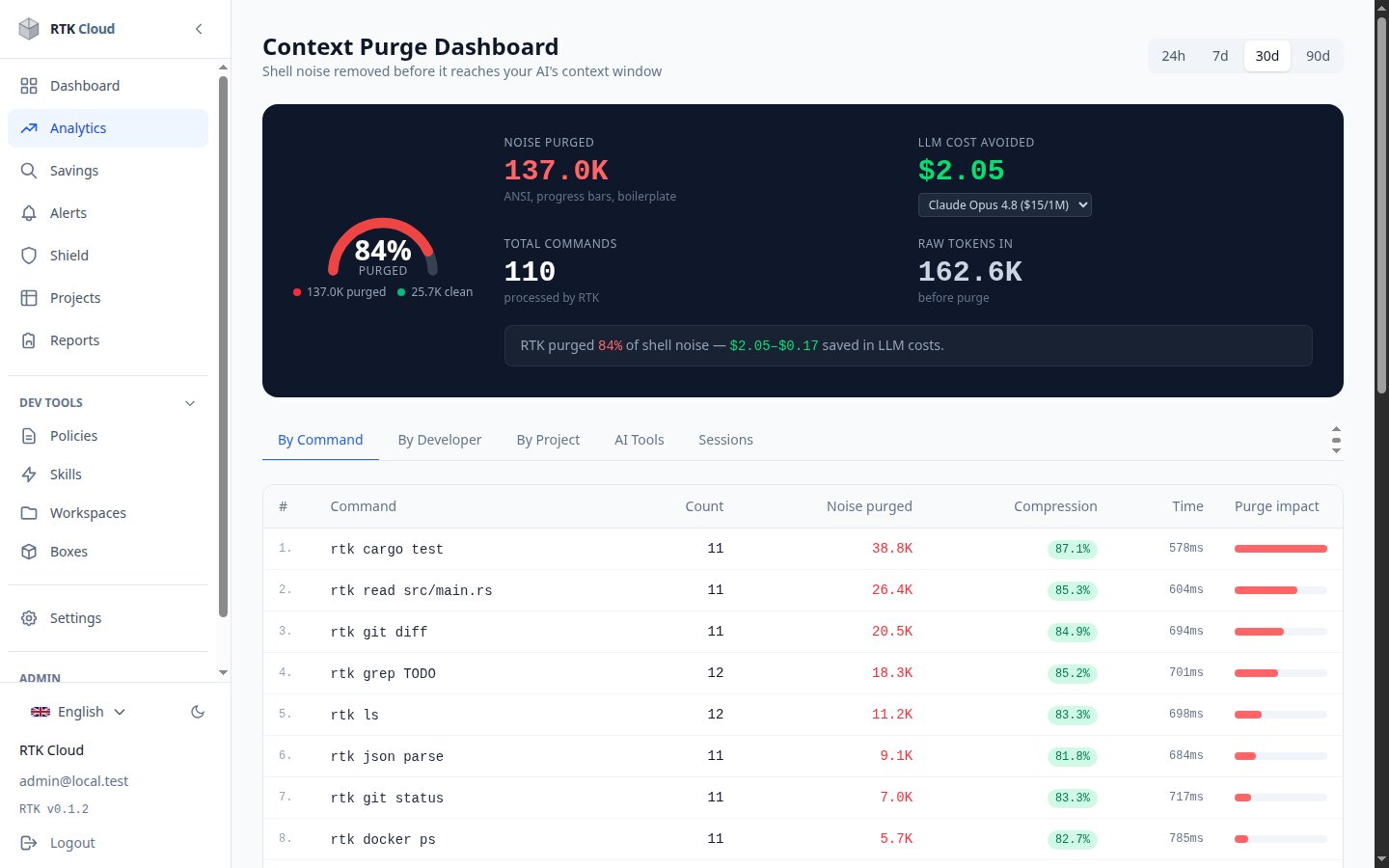
- Noise purged / clean tokens — how much of your shell output RTK removed before it reached the AI.
- LLM cost avoided — your purged tokens priced at the (approximate) input rate of the model you pick (Opus, Sonnet, GPT-5, Gemini…). It's an estimate of value, not a bill.
- Tabs: by command (with compression rate and purge impact per command), by developer, by project, by AI tool (Claude Code, Cursor, Windsurf, Copilot...), and by session.
Admins also get an Activity page (Admin → Activity) listing individual commands with developer, tool, project and timing — useful for audits and debugging.
note
Data ages out with your plan's retention window (7 days on trial up to 90 days on enterprise), so a 90-day view can show less history than expected on smaller plans.
tip
See Understanding the numbers for the exact meaning and formula behind every figure.